Smarter color management and ink optimization: Reduce ink, improve consistency, and keep production moving

In print production, it's easy to assume efficiency gains come from the pressroom: faster equipment, fewer changeovers, better scheduling. But some of the most meaningful improvements happen earlier, in prepress, where color decisions shape how smoothly work runs once it hits production.
That's why modern color management has become more than a quality control function. Done well, it helps reduce waste, stabilize press performance, and deliver predictable results across jobs, substrates, and devices. KODAK PRINERGY COLORFLOW Pro Software supports this goal by bringing key elements of color control together, including curves, ICC profiles, spot color recipes, and device alignment. It is also part of the KODAK PRINERGY Platform, an end-to-end integrated workflow designed to avoid isolated data islands and reduce the need to repeatedly move files between tools.
Why ink coverage affects more than cost
Ink is a major consumable expense, but its impact goes beyond budgeting. Heavy coverage can lengthen make-ready, slow drying, and increase variability, especially in neutral grays and shadow areas where small shifts can become visible.
COLORFLOW Pro includes reporting and analysis tools that help catch issues earlier by checking solid ink density, tonal response, gray balance, neutral print density, and how devices compare against a target or standard.
Where ink optimization fits
Color management establishes the target. Ink optimization helps you hit that target efficiently.
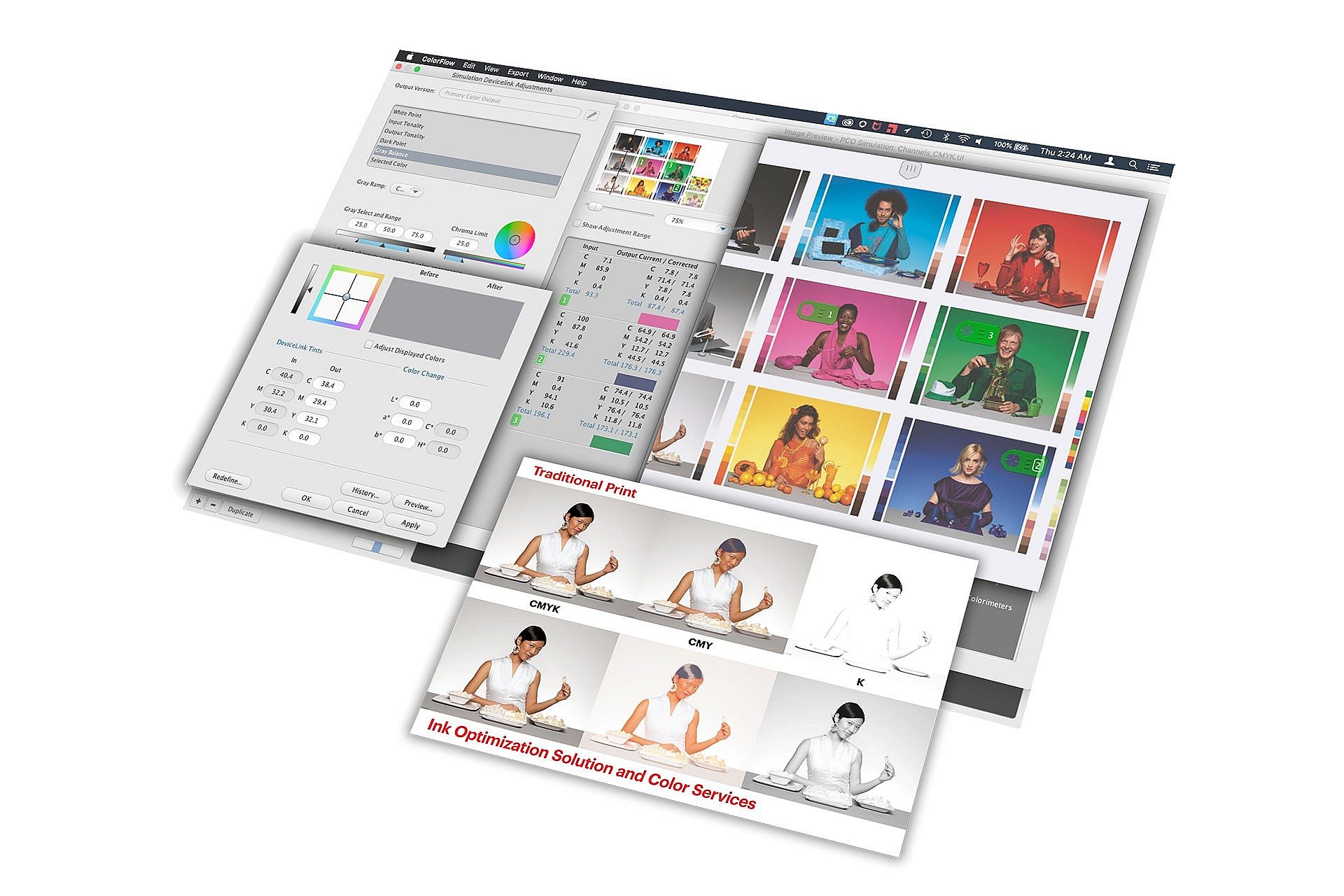
KODAK PRINERGY Ink Optimization for COLORFLOW Pro uses an advanced approach to gray component replacement (GCR). It analyzes a file for gray and near-neutral areas built from cyan, magenta, and yellow (and CMYK), then shifts more of that neutral work onto black. The result is reduced CMY usage in the separations without changing the intended appearance.
Savings vary by job type, with heavy coverage work typically seeing more reduction. COLORFLOW Pro’s optional Ink Optimization Solution is designed to reduce CMY consumption without sacrificing color quality or the sharpness of text and line art, and Kodak notes ink reduction can be up to 30% depending on the work.
Control that matches the real world
Not every job needs the same level of optimization. COLORFLOW Pro supports adjustable ink optimization strength so printers can choose lighter or more aggressive settings based on the job, customer expectations, or substrate. It also reduces total ink coverage (TIC/TAC) by default, helping keep files within practical limits.
Newer versions add an additional control for deep shadow regions: a "limit dark point total ink" setting that can further reduce ink in dark tones by lightening shadow areas while maintaining the overall look.
The pressroom effect: stability and speed
Lower ink coverage can make it easier to reach stable press conditions and maintain consistency through the run, with fewer ink-water balance issues on offset. Reduced ink load can also support faster drying and smoother finishing, and it may reduce the need for spray powder where heavy ink laydown creates handling problems.
Ink optimization can help on uncoated and recycled stocks by reducing dot gain and ink spread, making these popular substrates easier to manage. It can also be applied across output methods, including offset, digital, and flexo. In digital environments, using less toner can contribute to reduced component wear over time.
Better neutrals, fewer surprises
Neutral grays are notoriously unforgiving. When a gray is built from four process colors, slight variation in any unit can introduce a cast. By shifting neutral builds away from heavy CMY reliance, ink-optimized files make it easier to hold clean neutrals.
Kodak positions COLORFLOW Pro as helping control gray balance using patented color algorithms and a combination of ICC profiles, DeviceLinks, and tonal curves, supporting more predictable results across devices.
Want to go deeper?
For a practical walkthrough of COLORFLOW Pro and the optional Ink Optimization Solution in action, watch our recent webinar.